Downgrade to CE
Downgrading is irreversible and causes permanent data loss.
Applying a subscription key disconnects you and all your users at the end of the process. To avoid interrupting users while they are performing important actions, plan the upgrade during a short maintenance window and make sure no one is actively using the platform.
This procedure is only available for Passbolt >= 5.13, please consider updating your server.
Requirements
- Passbolt PRO >= 5.13
- Your subscription is expired or is going to expire
- You have an active administrator account
Introduction
Running Passbolt PRO and want to move back to CE? This is now possible directly from the administration workspace. Before you do, it is important to understand what happens when a PRO subscription expires, and what you lose by downgrading.
What happens when your subscription key expires ?
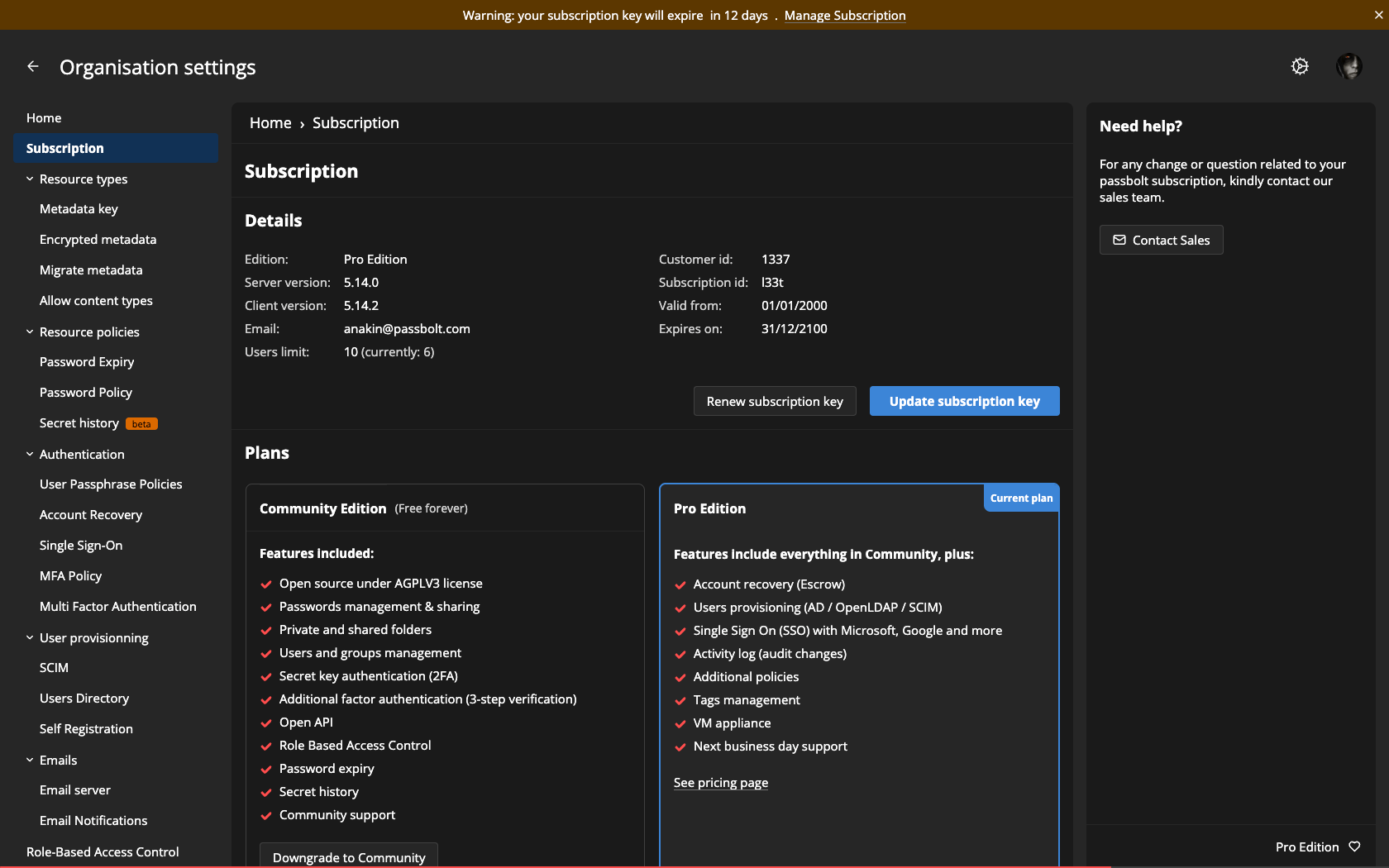
When your PRO subscription key reaches its expiration date, your instance is not automatically switched to CE. It keeps running as PRO, but the subscription is flagged as invalid and a warning banner invites you to manage your subscription.
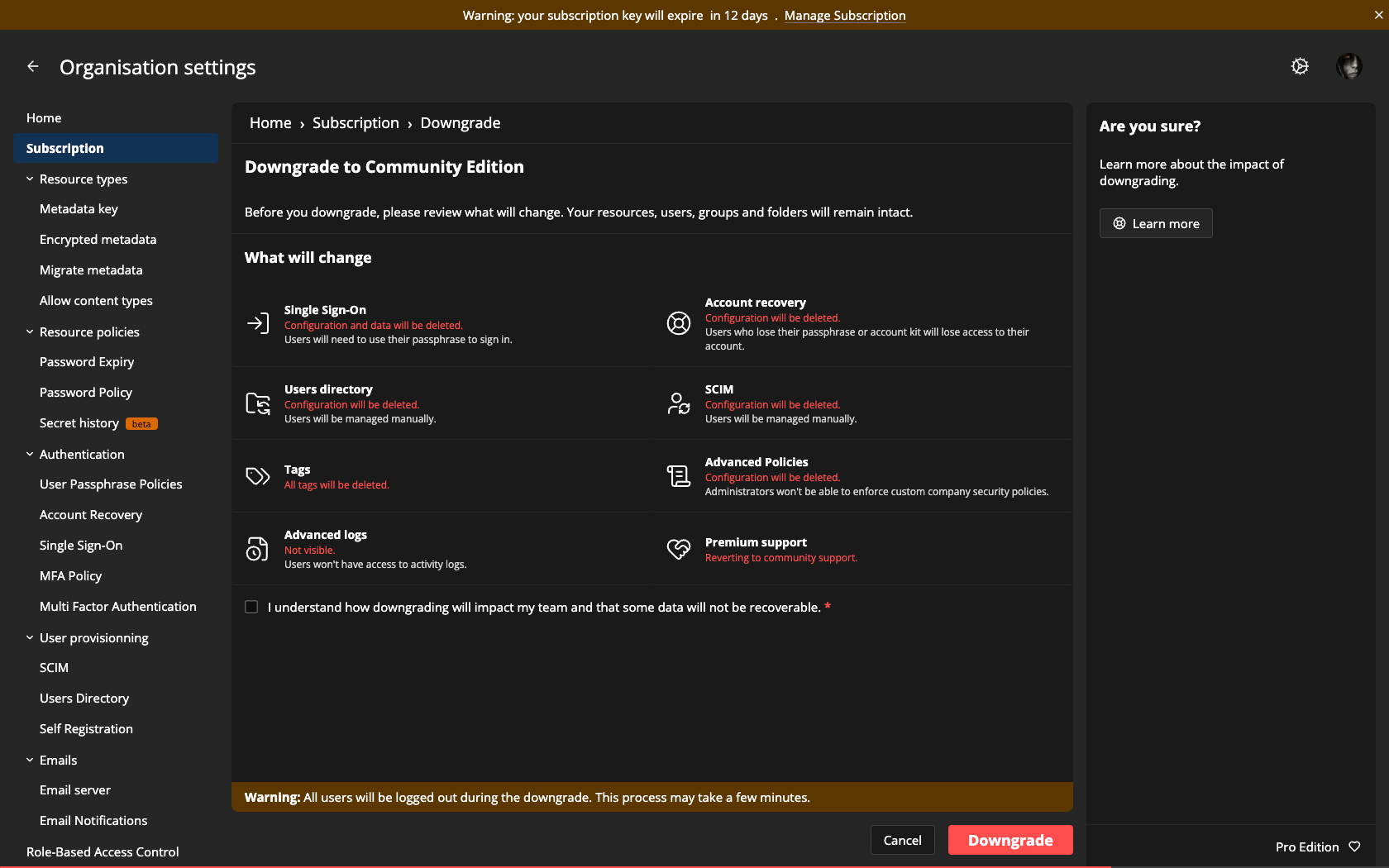
Impact of downgrading to Community Edition
What will change ?
| Feature | Impact of the downgrade |
|---|---|
| Single Sign-On (SSO) | SSO configuration and provider connections are removed. Affected users authenticate with their passphrase instead. |
| Account recovery | Recovery settings, the organisation recovery key, and any escrowed private keys are removed. Users who lose their passphrase or account kit can no longer recover their account. |
| Directory synchronisation (AD/SCIM) | The integration is removed and automatic user provisioning stops. Existing users are kept, but you manage them manually from then on. |
| Tags | Shared and personal tags are permanently deleted. |
| Advanced policies | MFA enforcement, advanced password expiry, and passphrase entropy rules no longer apply. Community defaults take over. |
| Activity log | The activity log is hidden in Community Edition. Existing entries are retained and become visible again if you move back to Pro. |
| Premium technical support | Support is handled through the community channels rather than the dedicated premium technical support. |
Downgrading to Community Edition
If you have decided you no longer need the PRO features, you can downgrade to Community Edition from Organisation Settings > Subscription using the Downgrade to Community button on the Community plan card.
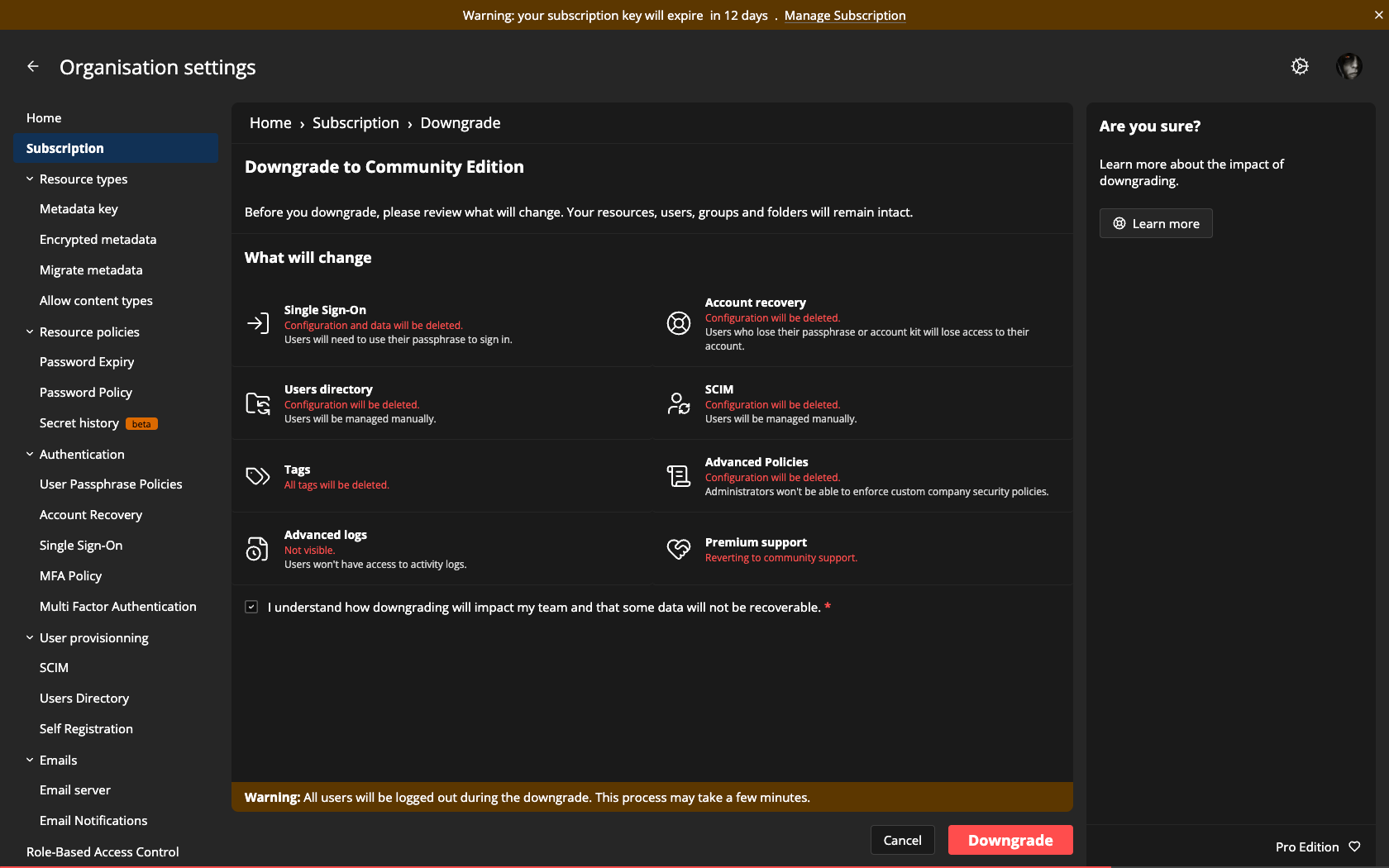
Confirming the downgrade
After clicking Downgrade to Community, a confirmation dialog recaps the consequences. You must tick I confirm I want to downgrade and accept the data loss before the Downgrade and lose data button becomes active. Click it to complete the downgrade, or cancel to keep your PRO edition.
Thank you!
Thank you for having given Passbolt PRO a try. Whether you are staying on Community Edition or planning to come back later, your instance remains fully functional and your data stays in your hands. If you downgraded for a reason we could help with, we are always glad to hear from you.