Upgrade to PRO
Applying a subscription key disconnects you and all your users at the end of the process. To avoid interrupting users while they are performing important actions, plan the upgrade during a short maintenance window and make sure no one is actively using the platform.
This procedure is only available for Passbolt >= 5.13, please consider updating your server.
Requirements
- Passbolt CE >= 5.13
- You have a valid subscription or trial key
- You have an active administrator account
Introduction
If you are running Passbolt CE, you can switch to Passbolt PRO at any time directly from the administration workspace, without reinstalling your instance. The upgrade is done by adding a valid Pro subscription key to your existing setup.
Where to start ?
Navigate to Organisation Settings > Subscription. The page shows your current edition (Community) along with a comparison of the Community and Pro plans.
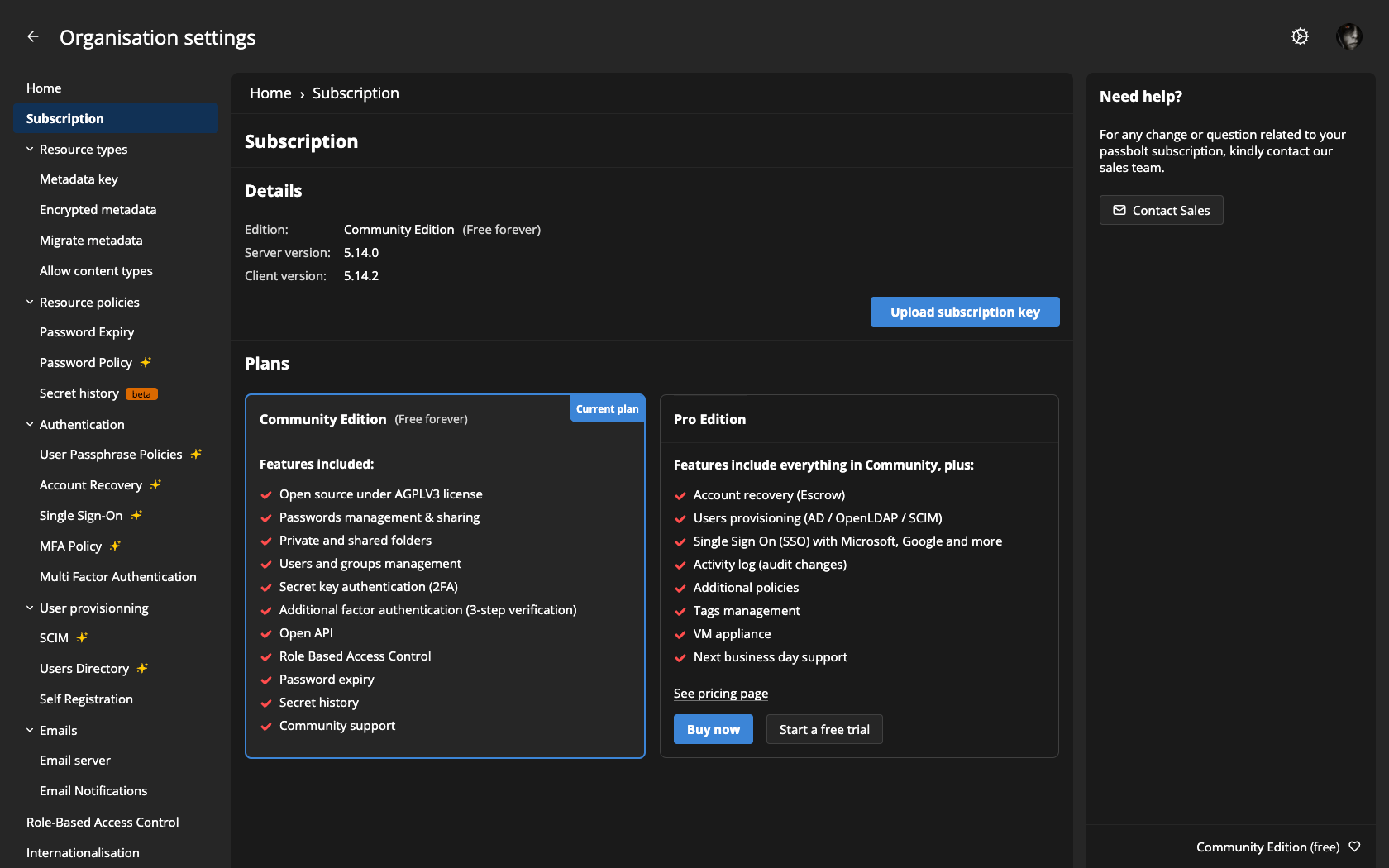
Ways to get a subscription
- Start a free trial
- Try the PRO feature for a limited time before commiting
- Buy now
- Purchase a PRO licence straight away.
Applying your subscription key
Once you have obtained a subscription key (from your trial or your purchase), click on Upload subscription key. In the dialog, either paste the key in the text field or click Choose a file to import your key file, then click Save.
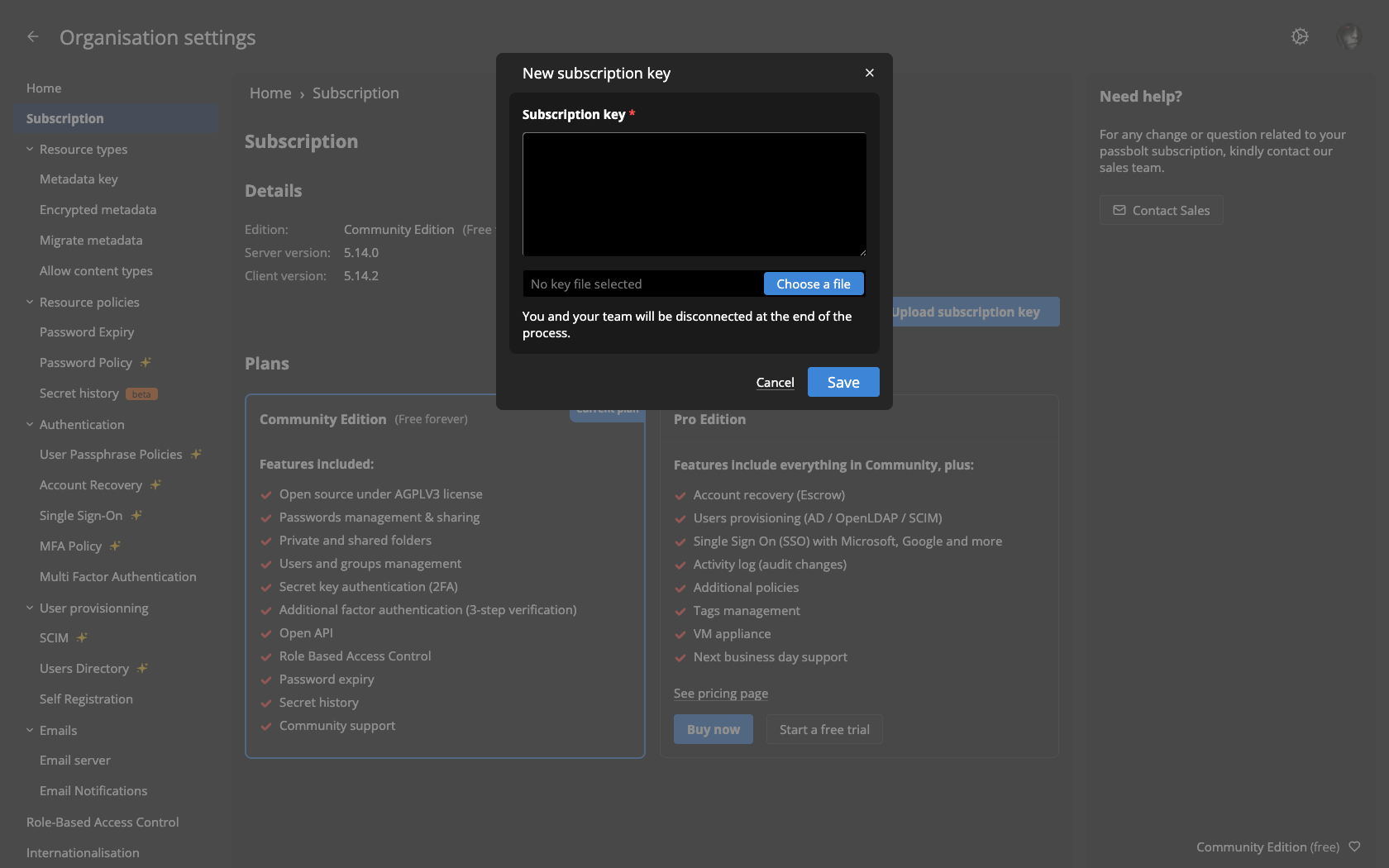
Once the key is validated, your edition switches to PRO and the PRO features become available across the administration workspace.