Account Recovery
The Account Recovery is a feature introduced with passbolt v3.6.0 that helps users to recover their accounts in case of a recovery kit or passphrase loss.
If you are looking for how to set up your account on another machine,
you can check this documentation.
To know more about how to configure account recovery, check out administrator documentation.
This feature needs to be activated by your administrator first.
However, with passbolt 5.8, we are introducing the ability to create additional roles (Organisation settings -> Role-Based Access Control). Upon being given a role with access to the account recovery requests management, non-admins will be able to view, index, and review account recovery requests.
Requirements
You can follow this procedure if you are meeting the following requirements:
- You are in possession of a valid user account (you have completed the setup, and you are not suspended),
- Your organisation is running Passbolt Pro v3.6.0 or higher, or Passbolt Cloud.
How does it work?
Depending on the organisation's policy, all users will be able to deposit an encrypted backup of their private keys in passbolt. Backups which can only be unlocked cryptographically by the organisation's administrators.
Watch the process of account recovery from the user and the admin perspective.
The possible organisation's policies:
- Prompt: new users will be forced to accept when registering for the first time, while existing users will be prompted to accept or ignore after signing in to the application. When ignored, this prompt will be displayed after each connection, but its goal is mainly to inform the users about the private key transfer that is going to happen. It is especially useful if they prefer not to use their personal private key.
- Opt-out: users have the choice to accept or reject the option, and the account recovery is enabled by default as per the organisation's preferences. Users will be able to set their preferences when registering for the first time while existing users will be prompted to accept or reject after signing in to the application.
- Opt-in: users have the choice to accept or reject the option, but the account recovery is disabled by default as per the organisation's preferences. Users will be able to set their preferences when registering for the first time while existing users will be prompted to accept or reject after signing in to the application.
- Disable: the option is disabled and nobody will be able to use it. This is the default policy before enabling account recovery.
As a new user, how to allow this option during the setup process?
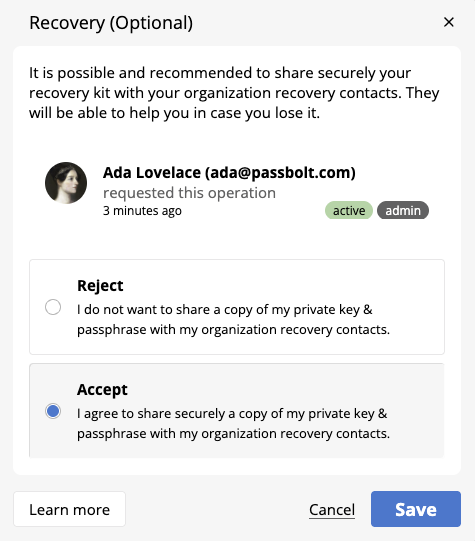
If the account recovery is enabled for the organisation (by an admin), all new users will be prompted to accept the account recovery option during the setup process.
Depending on the organisation's policy, the prompt presents different options as shown above.
As a registered user, how to allow this option?
If the account recovery is enabled for the organisation, all users can access their account recovery preferences from the account recovery section of the user settings workspace.
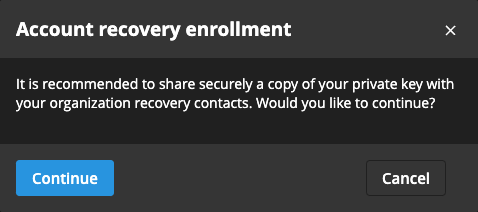
If the organisation's account recovery policy is set to prompt or opt-out, users will be prompted to accept immediately after signing in into passbolt. If they postpone the decision, they could follow the attention crumbs (❗) displayed in the interface to go to the account recovery section in the settings later.
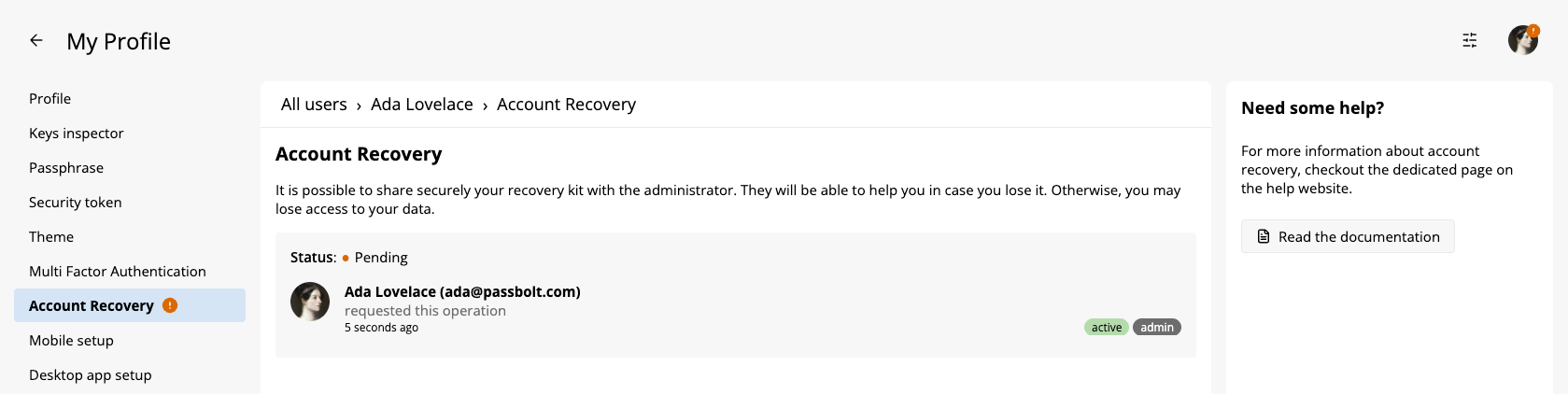
Users will then be able to accept the option by clicking the review button. Similarly to the setup process, the settings screen presents different options depending on the organisation's policy (e.g. The possible organisation's policies).
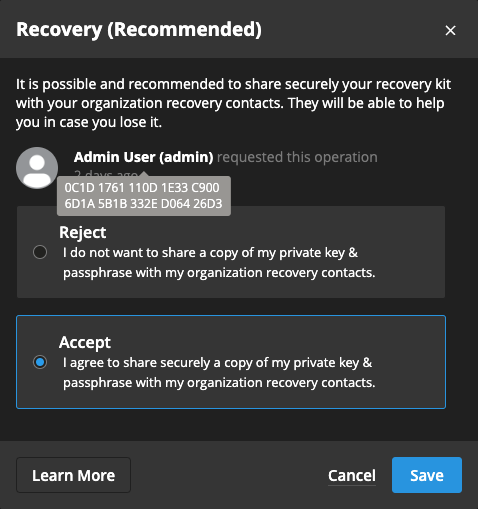
Users will notice additional information relative to the administrator who enabled the account recovery option.
For safety reasons, it is highly recommended to verify carefully these information:
- Is the administrator known?
- Is the fingerprint matching the administrator's public key?