How to delete users
Should you suspend or delete?
Deleting a user is permanent: their personal passwords are destroyed with the account. If you need to block access temporarily, during an extended leave or an investigation, or to keep a departed user's account on hold until their passwords are handed over, suspend the user instead. Suspension is reversible and keeps the user's data. See suspend or delete for a side-by-side comparison.
On Passbolt Pro Edition and Cloud, suspending a user does not free a subscription seat; only deleting the user does. See how subscription seats are counted.
How to delete a user
Only users with administrator role can delete other users. To delete a user:
- Log in as an administrator and select ⚙ > Manage Users & Groups in the top right corner
- In the user list, click on the user you wish to delete
- Right-click on the user and select the "Delete" option from the contextual menu
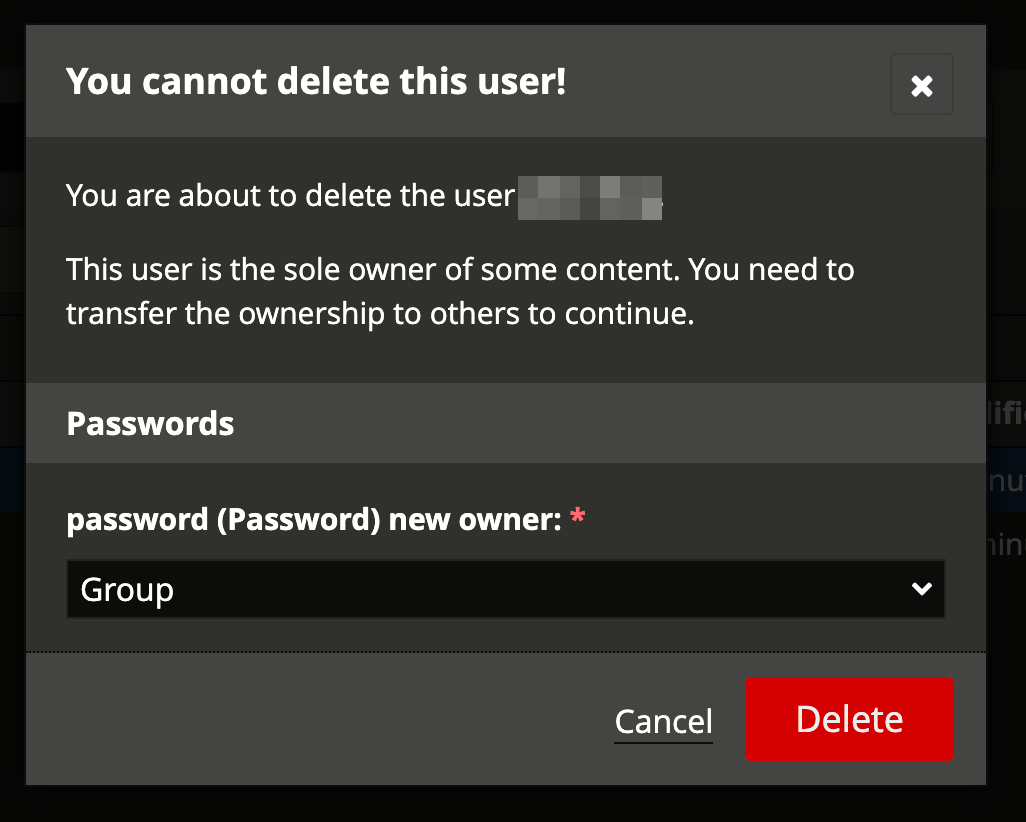
- If the user owns shared resources or is the sole manager of a group, you will be prompted to transfer ownership. See What happens when you delete a user who is sole owner of a shared resource? below for details.
- Click "Delete" to confirm the deletion
You can also use the "More" button (if available) on top of the user list and select the "Delete" option.
What happens when you delete a user who owns non-shared resources?
When you delete a user who owns non-shared resources, those resources belonging solely to the user will also be deleted. Unlike shared resources, they won't be retained.
What happens when you delete a user who is a member of groups?
When you delete a user who is a regular member (not a manager) of one or more groups, the user is automatically removed from all groups they belong to. The groups themselves remain intact, and other group members are unaffected.
What happens when you delete a user who is the sole manager of a group?
A user cannot be deleted if they are the sole manager of a non-empty group. Before deleting the user, you must either:
- Promote another member of the group to group manager, or
- Delete the group if it's no longer needed
If the user is the sole manager of a group and also the sole owner of shared resources, you will be prompted to transfer both the group management role and resource ownership during the deletion process.
What happens when you delete a user who is sole owner of a shared resource?
When a user, sole owner of a resource, is about to be deleted, a popup window is displayed and passbolt admin will be asked to transfer ownership of the resource to the group or user. If the deleted user was also the sole group manager, passbolt admin will promote another user of the group as group manager.