Allow Content Types
This screen controls which resource content types are available for the whole organisation. It only covers resources: the migration of folders, tags and comments to the v5 format is driven by the Encrypted Metadata settings, not by this page.
Resource content types
The v5 types encrypt the resource metadata; the legacy v4 types store it in cleartext. The v5 types are:
| Type | Create menu entry | Encrypted metadata | Secret |
|---|---|---|---|
v5-default | Password | name (required), username, uris (up to 32), description, icon, custom field keys | password (required), description (the secure note), custom field values |
v5-default-with-totp | Created by adding a TOTP to a password | Same as v5-default | Same as v5-default, plus the TOTP |
v5-totp-standalone | TOTP | name (required), uris, description, icon | TOTP (secret key, digits, algorithm, optional period) |
v5-custom-fields | Custom fields | name (required), uris, description, icon, custom field keys (up to 128 fields) | The custom field values (required) |
v5-note | Notes | name (required), uris, description, icon | description (required): the note body |
v5-pin-code | Pin code | name (required), description, icon | pin_code (required): 4 to 12 digits, description (optional) |
v5-password-string | No dedicated entry, the v5 equivalent of the legacy password string | name (required), username, uris, description, icon | The password alone, as a plain string |
v5-pin-code, added in version 5.12.0, is the only v5 type with no uris metadata field, and it carries no username either.
The secure note of a v5 password lives in the secret, while the resource description is an encrypted metadata field, readable without unlocking the secret. Custom fields exist in two forms, standalone and embedded in the password types; in both, the field keys are stored in the encrypted metadata and the field values in the secret.
The v5 content types are available out of the box, with their boxes ticked on this screen. The default format for new content is a separate matter: new instances set up on passbolt 5.4.0 or later default to v5, while instances upgraded from an earlier version keep creating v4 cleartext content until encrypted metadata is enabled, from Administration > Resource types > Getting started or the Encrypted Metadata settings.
For migrated content, each v4 type maps to a v5 type: password string to v5-password-string, password and description to v5-default, TOTP to v5-totp-standalone, and password with description and TOTP to v5-default-with-totp. The v5-custom-fields, v5-note and v5-pin-code types have no v4 equivalent.
Configuration Options
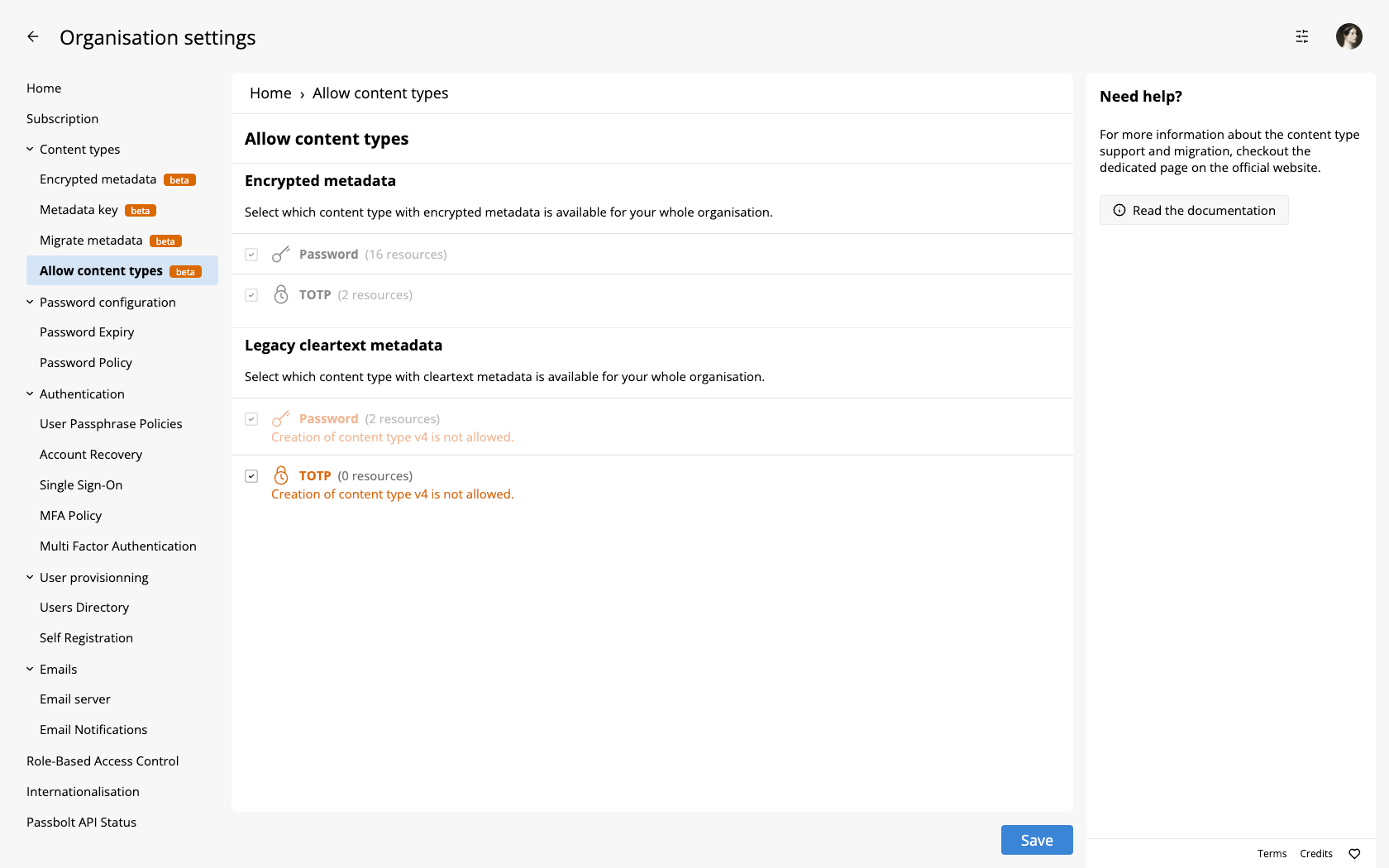
The screen offers two sections of checkboxes:
- Encrypted metadata, "Select which content type with encrypted metadata is available for your whole organisation.", with four checkboxes: Password, TOTP, Custom fields and Note.
- Legacy cleartext metadata, "Select which content type with cleartext metadata is available for your whole organisation.", with two checkboxes: Password and TOTP.
The checkboxes reflect the state of the server's resource types rather than a stored setting: a ticked box means the matching types exist, and saving the page removes or restores them. On a fresh 5.x instance, all six boxes are ticked. Two guards apply: a type with existing resources cannot be unticked (the screen reports, for example, "Password content type is disabled but there are existing password resources."), and at least one content type must stay allowed.
The Encrypted Metadata settings do not lock these checkboxes; they produce warnings under them instead, such as "V5 resource creation is enabled but password content type is disabled.", "No active metadata key defined." or "Creation of content type v5 is not allowed."
If the global toggle for legacy cleartext metadata is off, these options are visible but disabled, and the UI shows: "Creation of content type v4 is not allowed."
Important Considerations
Legacy metadata formats are deprecated and not recommended for new resources. Use only during transition or migration phases.
To enable creation of resources with encrypted metadata:
- Enable encrypted metadata in Encrypted Metadata
- Configure key distribution in Metadata Key
- Enable the desired content types on this page