Migrate Metadata
This section enables administrators to migrate existing resource metadata from legacy cleartext format to encrypted format.
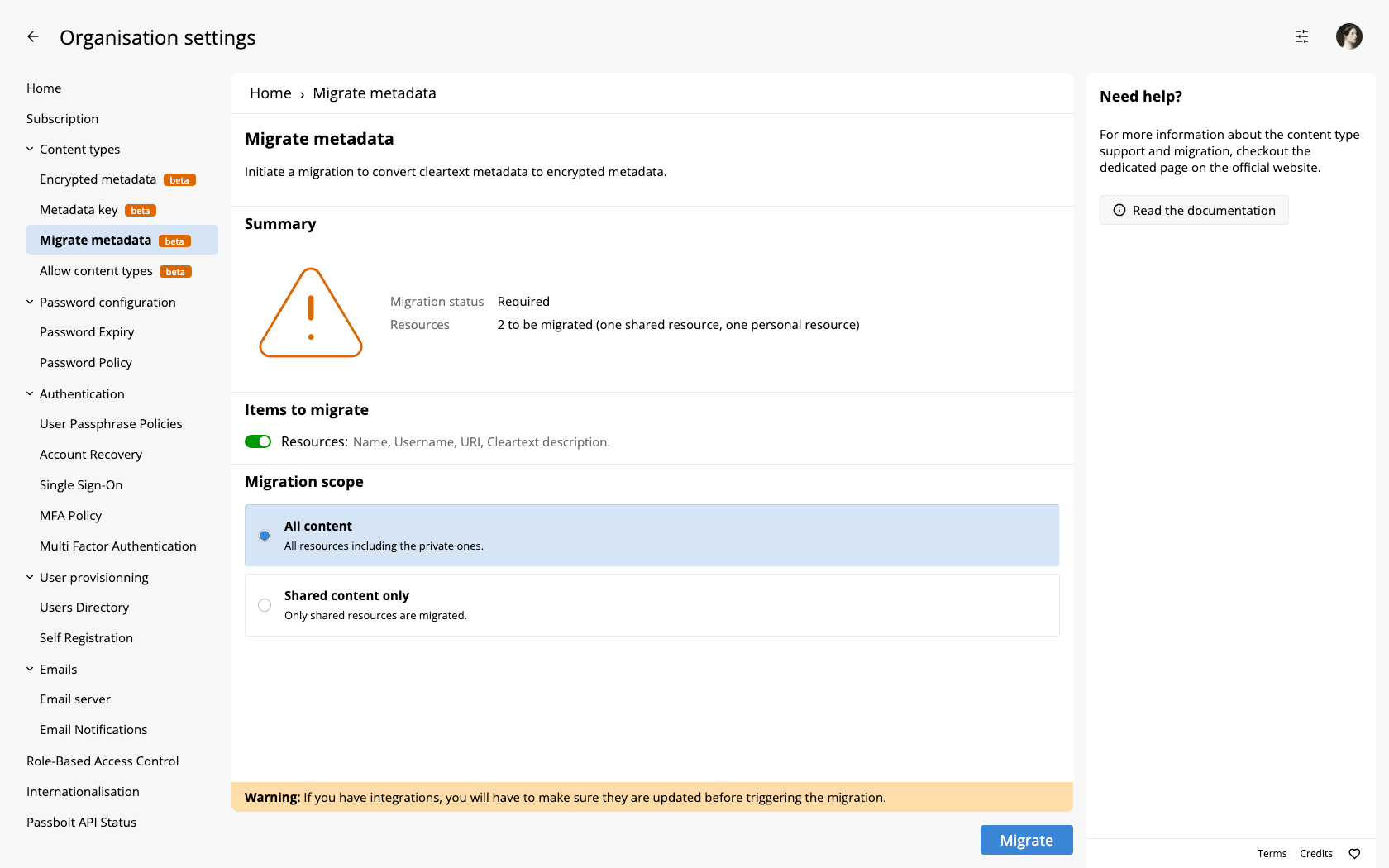
Configuration Options
Items to Migrate
Toggle whether to include resource metadata in the migration. When enabled, the following fields will be encrypted:
- Name
- Username
- URI
- Cleartext Description
If disabled, these fields remain in cleartext form. Passwords are always encrypted regardless of this setting.
Migration Scope
Choose which types of resources to include in the migration:
- All content - Includes both shared and personal resources.
- Shared content only - Only shared resources are migrated.
Important Considerations
Before initiating migration, ensure:
- Encrypted metadata is enabled in Encrypted Metadata
- All users who need access to migrated resources have received the shared metadata key (see Metadata Key)
Always backup your database before migration. Metadata migration cannot be easily reversed.
Migrating content to encrypted metadata might affect integrations that rely on accessing resource metadata in cleartext format.
Migrating from the command line
Resources are migrated from the Migrate Metadata screen shown above. The commands that migrate resources and folders from the command line are registered on the server only when it runs in debug mode with the Selenium hooks active, so they are absent from a production install. The screen warns when the v4 to v5 upgrade is not allowed, a setting of the Encrypted Metadata administration screen, and refuses to run only when no active metadata key is defined.
The tags command
passbolt metadata migrate_tags is the one metadata command registered in production. It comes with the tags plugin, so it requires the Pro Edition, the Enterprise Edition, Business Cloud, Sovereign Cloud or Enterprise Cloud: the Community Edition has no tags plugin and no such command.
passbolt metadata migrate_tags
Mind the command name: the metadata group sits inside the passbolt namespace, so the prefix is required. See Running Commands for the full invocation on your installation type.
The command is gated by a different setting from the one the screen uses, allow_creation_of_v5_tags, and stops with this message when that setting is off:
To enable, set "allow_creation_of_v5_tags" metadata settings to true via `update_metadata_types_settings` command.
allow_creation_of_v5_tags is off in the default settings and no administration screen exposes a control for it, and update_metadata_types_settings is itself one of the debug-only commands, so a production install does not have it either. The Migrate Metadata screen reports the tags migration status and warns on these settings, but it does not run the tags migration: this command is the route for tags.
migrate_tags exits with an error when there is no tag to migrate, which is worth knowing if you chain it in a script. Running it again over already migrated tags is not idempotent either: it reports "Tag ID 0 is already V5" for each of them and ends as a failed run. Read the migration status shown on this screen rather than running the command a second time.