2 min. read
Passbolt security audit 2021 - Part 2
Part II — Firefox and Chrome web extensions


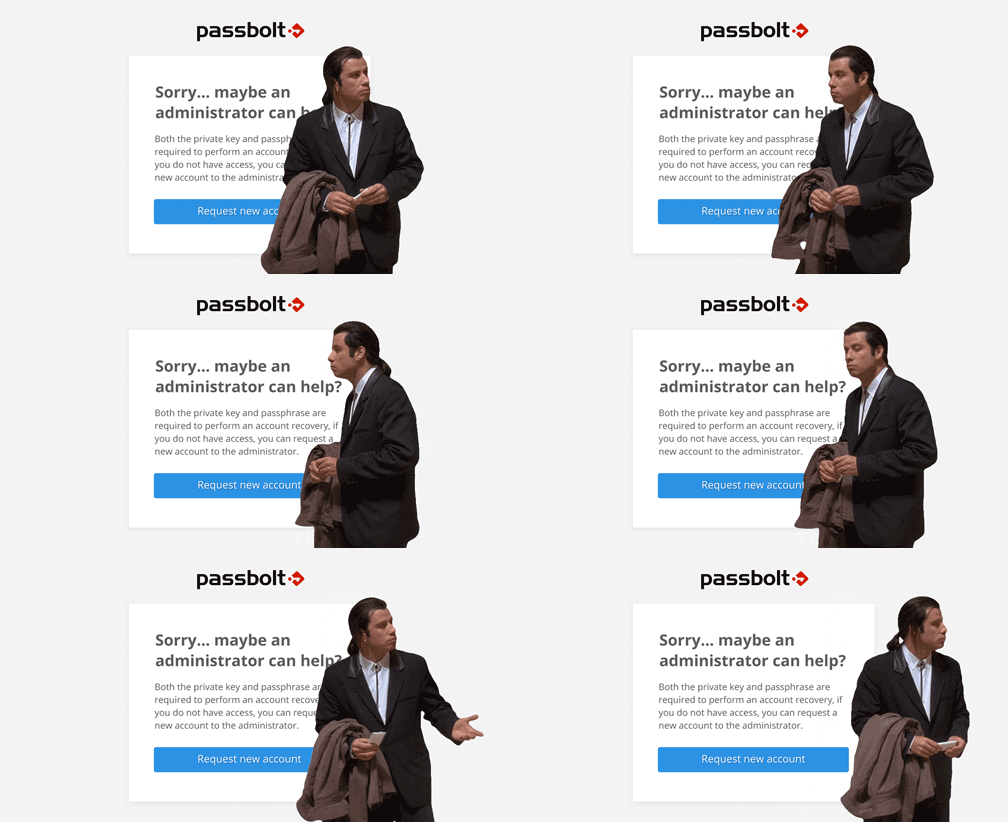
Have you or your coworker ever been stuck on this screen? If you’ve lost your private key or passphrase, passbolt is not going to give you any other option but to start from scratch.
This is not the most practical solution.
We want to discuss a new feature that aims to solve this.
Since adding a new recovery mechanism will introduce new security risks, it’s important for us to give the community space to give feedback. This article will give you an overview of the problems we are trying to solve, and the different options we have considered so far. Later we’ll present some detailed user flows and wireframes of our preferred approach.
The aim of this article is to initiate a conversation with the community and collect feedback. Please share your opinion with us: what you like about the proposed design, what you don’t like, what you would do differently. Don’t be shy.
Quick disclaimer: As is often the case with Enterprise-like features, account recovery will be released first, as part of our paid tiers (Pro and Cloud edition).
Are you ready to get on with it? Grab a drink, put on your security researcher and designer hats and let’s dive in.
If you’ve been hanging out on the community forum, this problem has been discussed extensively over the years. The solution has been teased under the name of “escrow”. But what is an escrow, actually?
According to Wiktionary, an escrow is “a written instrument, temporarily deposited with a neutral third party (the escrow agent), by the agreement of two parties to a valid contract. The escrow agent will deliver the document to the benefited party when the conditions of the contract have been met. The depositor has no control over the instrument in escrow.”

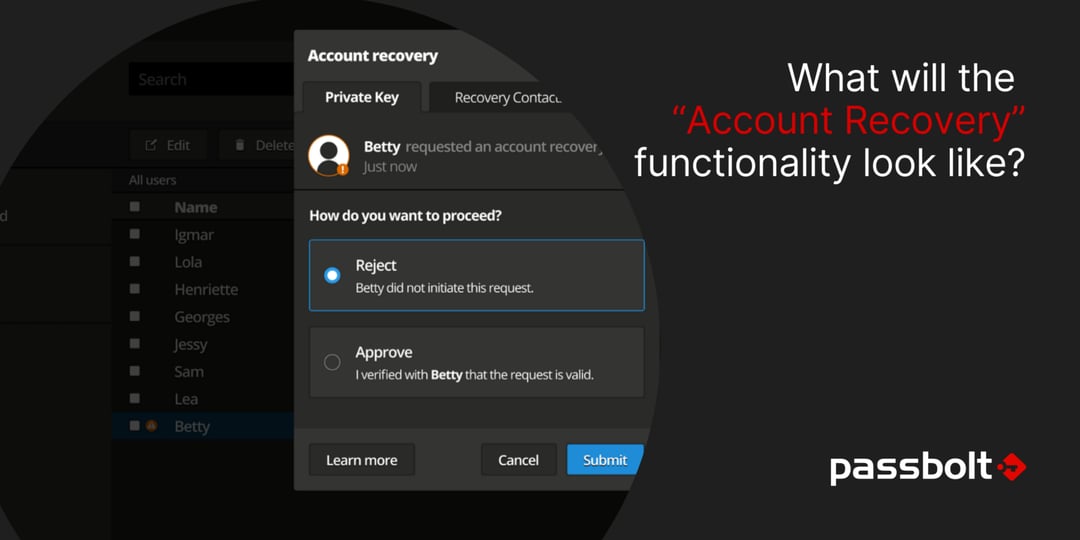
In our case, we think of escrow as a way to recover your account using an instrument (key) that would be stored in a third party place (such as an escrow agent). One of the key concepts is the independence of the third party, which makes the way we use the “escrow” term quite flexible, and open to interpretation. That’s why from now on this feature will be called “Account Recovery”.
Right now, when a user loses access to their private key or passphrase, without a backup, there are absolutely no options to recover any of them. This means that the passwords are lost forever.
Similarly, when a user leaves an organization, an administrator can’t transfer non-shared passwords, or transfer a resources’ ownership to another user who doesn’t already have access to them.
This mostly impacts the administrators, in scenarios like when users lose their private key or passphrase. It also impacts organizations during a “bad leaver” situation (for example in circumstances justifying the immediate dismissal of a collaborator). In such cases the administrators are responsible for access revocation and data transfer, but as of now, they don’t have the tools to do it properly.
Additionally, this also impacts some users that are either very unlucky or unprepared, e.g. people who do not have a functional backup or those who simply forgot their passphrase.
Apart from training users to make backups, some organizations already implement ad-hoc safeguards as part of their own passbolt rollout. Currently there are two main options.
The first one is for the administrator(s) to make sure that all important passwords are shared with a designated person, or group, or placed in a folder with the right permissions. This requires some organization, training — and passbolt doesn’t really help with this either.
Consequently, some organizations end up building custom reports, using SQL queries, to verify that the password backup policy is properly implemented.
The other option is to keep a copy of all the user keys, for example, by asking users to send their private keys (and/or passphrase) after the initial account setup. Alternatively, some administrators also create keys manually for the users and ask them to import them during setup (or perform the setup for them).
For most organizations however, this is too much work, which means there’s no plan B 🤠.
Two possible approaches will be detailed in this section: one which consists of storing a secure backup of the users private keys, the other which would require storing a secure copy of each of the resources. Both have their roots in the current workarounds described earlier.
In both cases they would be accessible with what we call an “organization wide recovery key”. The data kept in the backup scheme would be controlled using “organization policy” settings. This would allow definition of whether backups are mandatory or opt-in/opt-out (or, like now, disabled).
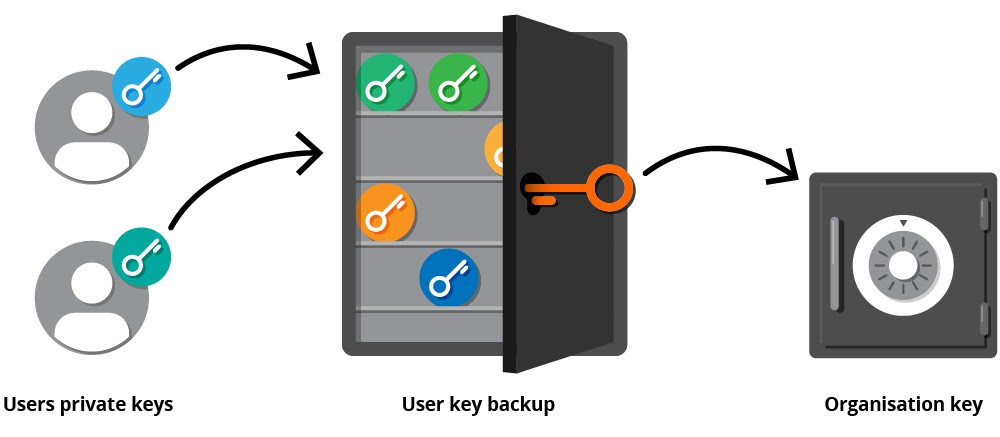
With this approach, the passphrase-less version of users private keys are stored, encrypted server side with the organization-wide recovery key. When a user wants to recover their private key, the key recovery system will generate a temporary new key pair and coordinate securely through the passbolt interface with the administrator.
The administrator will then be able to release the user key kept in backup, by decrypting it with the organization-wide recovery key.
Some options would be provided to make this recovery process flexible, for example with four settings in the administration to set the backup mechanism to: “always on”, “opt-out” (optional: default on), “opt-in” (optional: default off), “disabled” (always off, like it is now).
These options would also be presented to the users during the initial account setup in the form of a checkbox (checked or unchecked by default, disabled or not, depending on the policy chosen by the admin). This would allow the policy to be adjusted based on the user capability to make personal backups.
In this solution, we would also implement a personal setting screen for the users to make a backup of their key. This screen will be useful, if they have already completed the setup prior to the feature being rolled out by an administrator.
We would have some additional flags on a per-user basis to override the default policy (for example to force the escrow for someone who’s repeatedly losing their keys, or inversely for someone who doesn’t want to share their key for security reasons).
This solution has several advantages:

However, it does have some drawbacks, namely having a single point of failure with the organization recovery key:
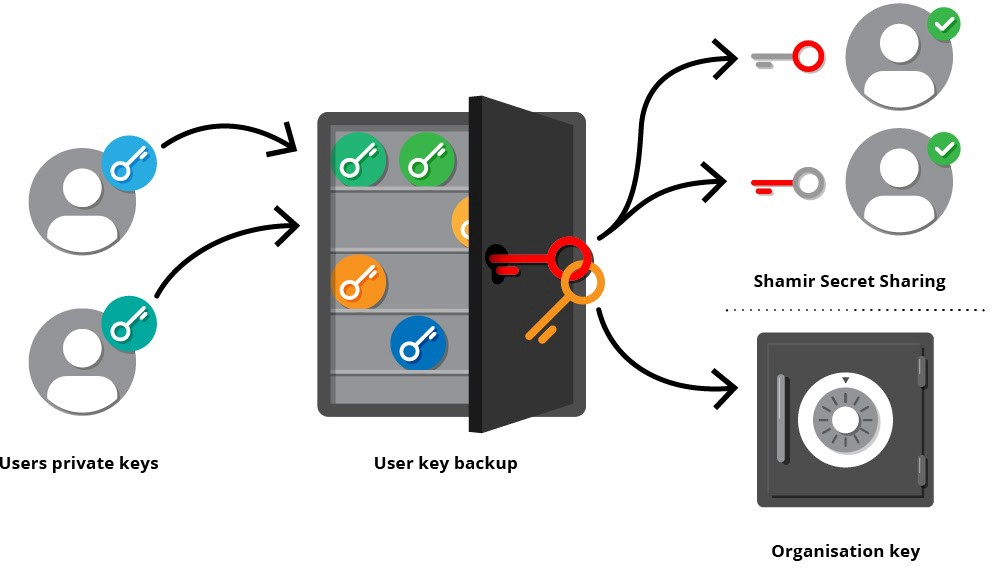
In this scenario there will still be an organization-wide recovery key, but it’ll only be used in a “break glass” scenario. It’ll be kept in a safe place, and used only in case of emergency, in order to prevent some of the misuse described earlier.
The regular recovery procedure will be carried out using “recovery contacts”. In this setup, when a user initiates a recovery procedure, the recovery contacts will need to collaborate (asynchronously) to reach the required threshold to rebuild the private key passphrase (a passphrase that’s needed to decrypt the user secret key backup).
In practice, the user key passphrase would be split into multiple secrets using a shamir secret sharing scheme, and these secrets will be encrypted using the multiple recovery contacts public keys.
The organization wide key will also be used to change the configuration of the backup policies, and update the list of recovery contacts. This organization-wide key is still required to avoid being back at square one when one or more of the recovery contacts either lose their own keys or leave the organization.
In this scenario the administrator would create an organization wide key and associate it with a user account. This special user account can be seen as a service account as it won’t be used to log in — but the key will be available to share resources with.
This is similar to having an organization recovery key, except that in this case, it’ll be used to keep an encrypted copy of the user resources, instead of the user keys.
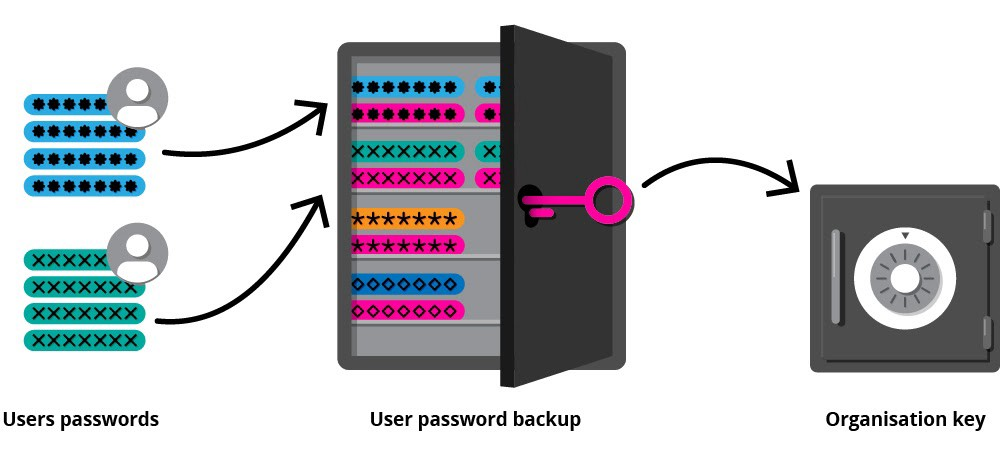
This solution has several advantages.
However, there are some drawbacks too.
Even though Option 2 “Resource backup” is more flexible and has interesting security properties, we feel it would be too complex to implement and require major changes in the whole ecosystem. Option 1 has some major drawbacks in some configurations, but is the easiest to implement.
Therefore starting with Option 1 seems to be the most suitable approach. We’ll then move on to implement Shamir Secret Sharing, and then if needed look at Option 2 again.
If reading this article whetted your appetite, you can deep dive further and read the detailed functional specifications.

 Made in Europe. Privacy by default.