2 min. read
Passbolt Completes GDPR Audit and Appoints DPO
Passbolt completed an independent GDPR audit and appointed Examin SAS as DPO, strengthening privacy governance, accountability, and data protection.


Passbolt 5.13 introduces a simpler way to move between Passbolt Community Edition and Pro Edition.
Until now, moving from one edition to the other required system changes. Administrators had to swap packages and redeploy their instance. For users who wanted to try the Pro Edition, this made the path more complex than it needed to be.
If you've been curious about Passbolt Pro Edition but hesitated because the upgrade looked too involved, now is a great time to give it a try. Switching editions is simpler than ever, and if Pro isn't the right fit for your organization, you can switch back to Community Edition just as easily.
Passbolt was first introduced in 2016. At the time, only Community Edition existed, as it was the beginning of the product, and the feature set was still limited.
Passbolt Pro Edition was introduced in 2018 to provide organizations with professional support and enterprise services. Revenue from Pro subscriptions funds the continued development and maintenance of the Community Edition.
The Pro Edition remained open source but was developed in a separate repository. At the time, this seemed like the most practical approach. We did not yet know how much the Community and Pro editions would diverge, whether enterprise requirements would evolve into a fundamentally different product, or how much code they would ultimately share.
As the product evolved, it became clear that the two editions were far more alike than different. Maintaining separate repositories made it harder to move between editions, duplicated engineering effort, and increased the complexity of keeping Community and Pro compatible for developers, contributors, and users alike.
Over time, both the product and our understanding of customer needs matured. What initially looked like a sensible separation turned out to create unnecessary maintenance overhead without delivering corresponding benefits.
Maintaining two separate codebases made the experience harder for administrators who wanted to try or move to the Pro edition, administrators still had to swap packages, change repositories, and redeploy. For some users, that process was painful enough that they gave up mid-process.
The split also created uncertainty around the upgrade path. Administrators wanted to know whether they needed to reinstall, whether their data would remain available, and what would happen if they wanted to go back to the Community Edition.
Downgrading was also painful because some Pro edition data could remain in the database after switching back to the community edition, such as SSO configuration or account recovery data. This made data management during downgrade unclear. The new downgrade path takes care of this flow more explicitly.
The transition happened in two steps. First, with Passbolt 5.12, the Community and Pro editions were unified into a single codebase. Then, with Passbolt 5.13, organizations gained the ability to switch between Community and Pro directly from within Passbolt using a subscription key, instead of installing a different edition.
The transition is transparent for end users as everything is happening under the hood without breaking changes. So there is nothing for you to do. Existing distribution channels of Community Edition and Pro Edition remain as they are, including Docker images and packages. Current installations will continue to work, with updates arriving through the same channels as before.
Later, Passbolt will deliver a unified package, with CE and PRO packages becoming aliases of it and we may ask people to adjust their installation point to the new unified package.
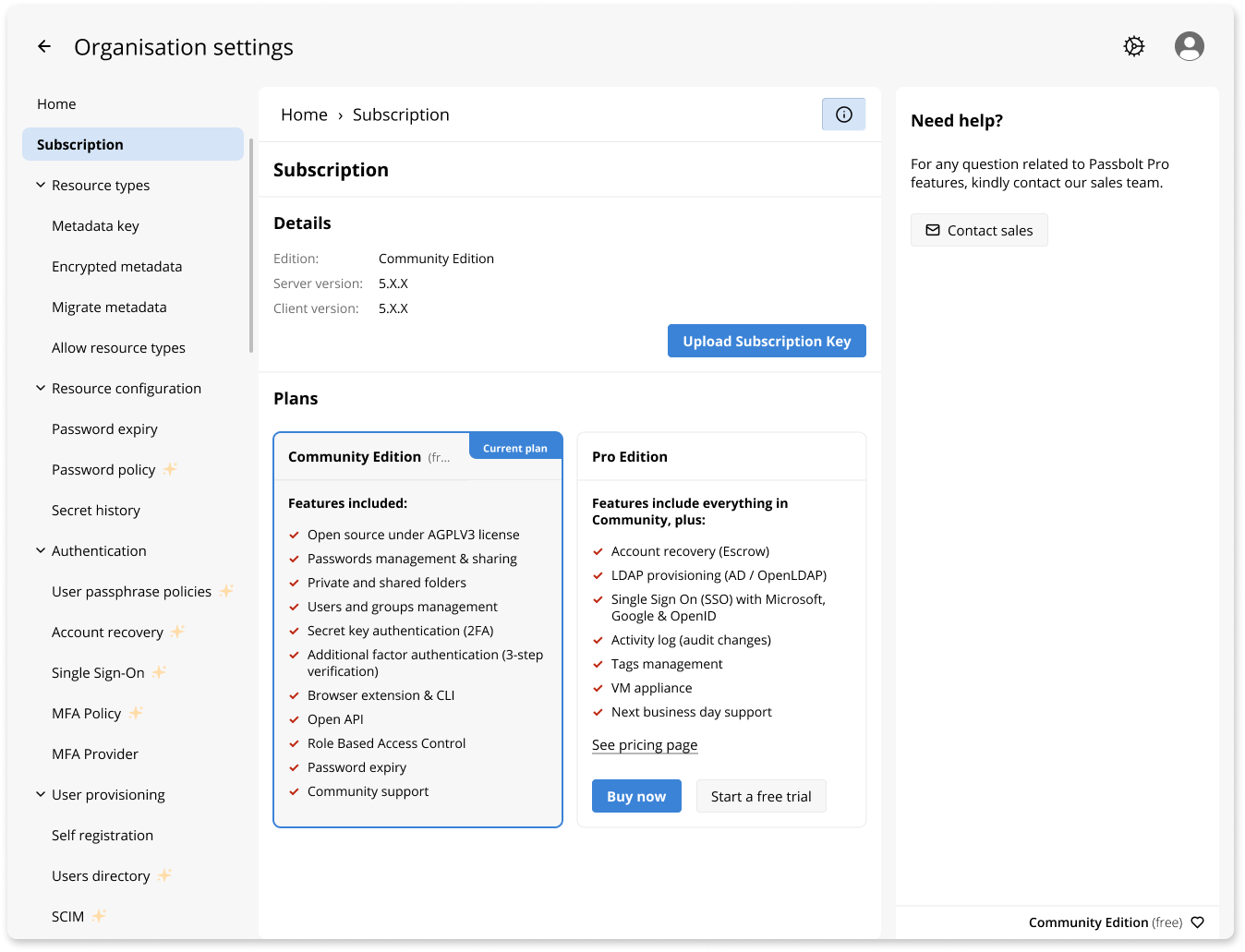
Edition switching happens entirely from the Subscription page.
On a Community edition subscription page, an administrator can upload a trial subscription key or start a free trial, and Pro features activate instantly.
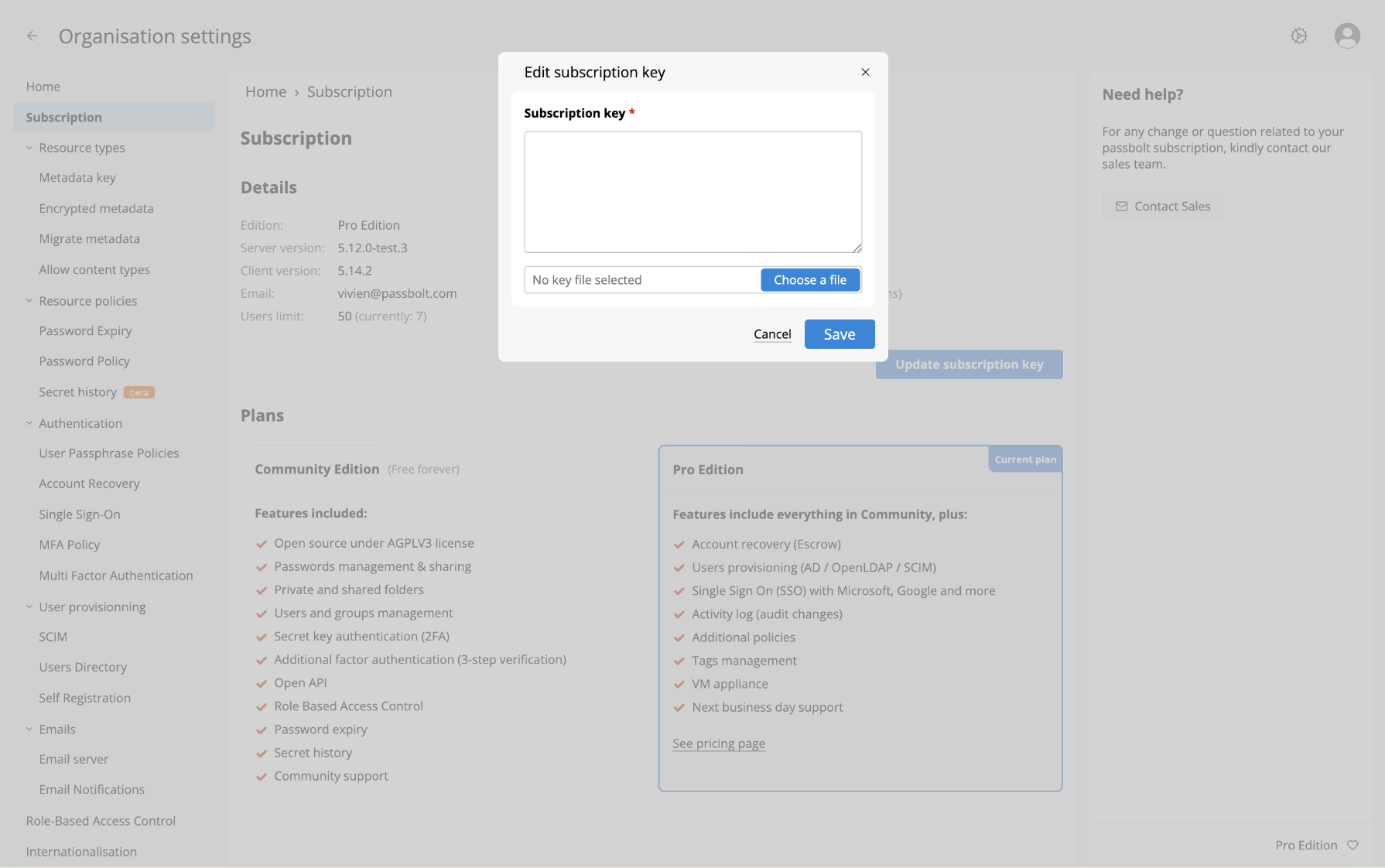
On a Pro instance, the Subscription page shows the subscription key details and a plan comparison.
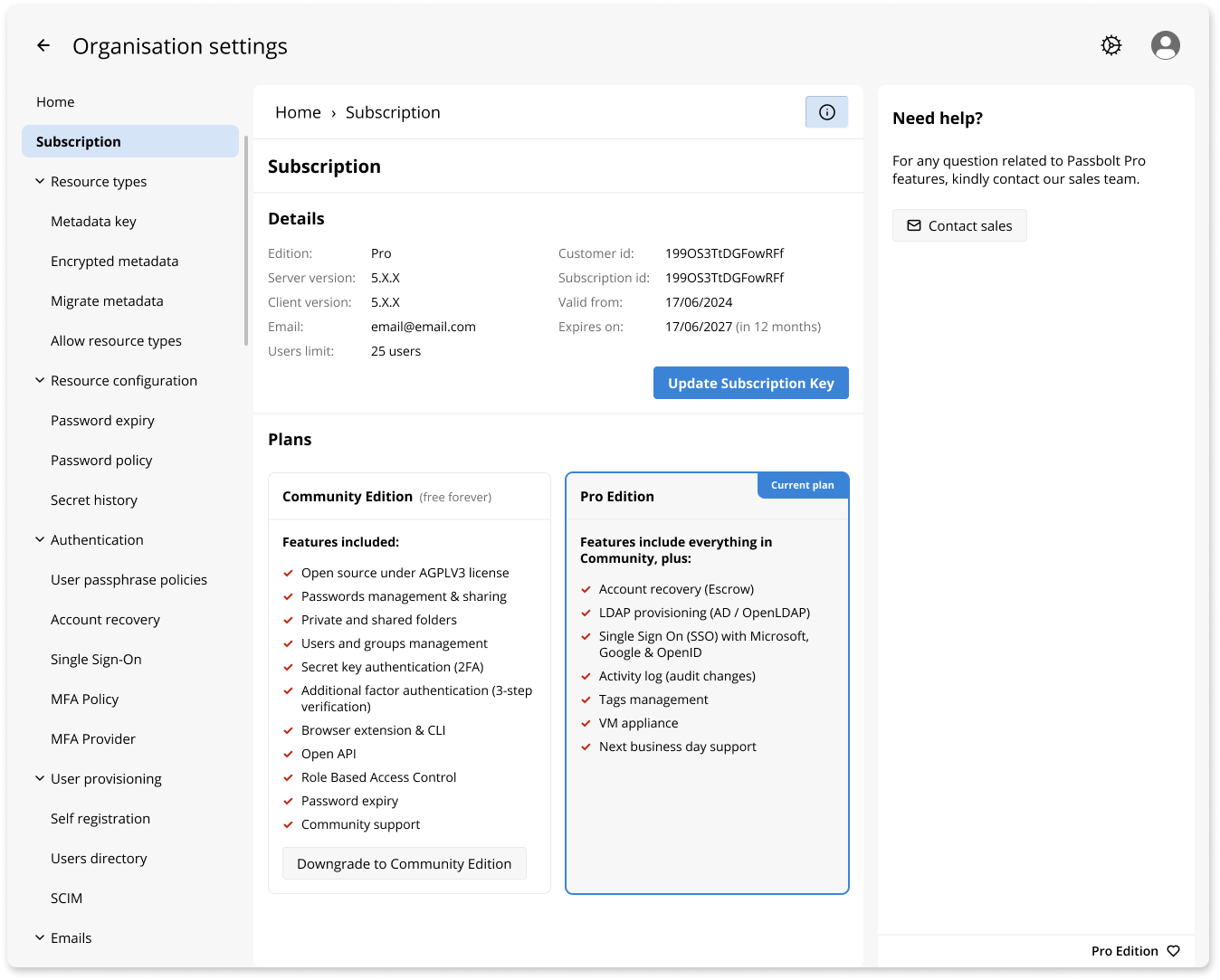
If Pro is not the right fit, administrators can downgrade back to Community Edition after the Pro subscription expires, with a clear preview of affected data and features before confirming the downgrade.
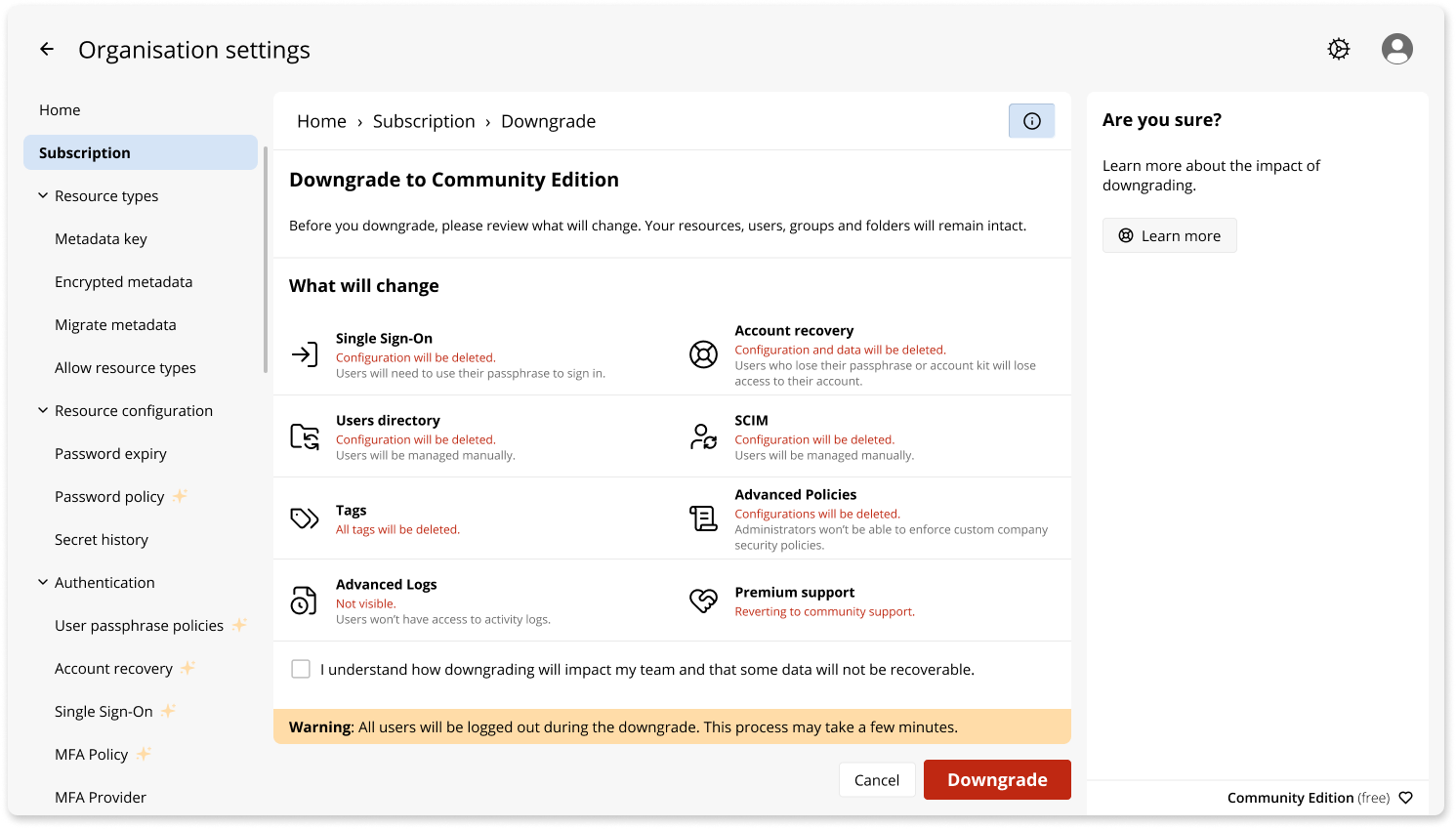
The goal is simple: trying Passbolt Pro Edition should be a click, not a migration project.
The full codebase, including Pro features, is distributed under GNU AGPL license. Every line can be read and audited.
Moreover the Community Edition remains free (as in free beer) forever, with the same feature set and commitment.
Pro features are part of the same open source codebase and are enabled with a subscription key, rather than delivered as separate proprietary plugins.
We believe open source is the right model for a security product. Trust requires transparency, and we have every intention of keeping it this way.
A single codebase makes Passbolt easier to build, maintain, and improve. Contributors now work on one repository, one CI pipeline, and one set of tests, while community bug reports apply directly to the same codebase used by both Community and Pro editions. For users, this means simpler edition management with fewer moving parts. For the project, it reduces maintenance overhead and lets us spend more time building new features.
There are many ways to support Passbolt. You can contribute code, report bugs, share feedback on the Community Forum, recommend Passbolt to others, or, if your organization needs it, subscribe to Pro to help fund ongoing open source development. Whatever your choice, thank you for being part of the Passbolt Community.
2 min. read
Passbolt completed an independent GDPR audit and appointed Examin SAS as DPO, strengthening privacy governance, accountability, and data protection.
9 min. read
New Passbolt admin? Use this security checklist to review your infrastructure, backups, authentication, configuration and client security.

 Made in Europe. Privacy by default.